

Hey there! As a supplier of paper edge protector machines, I've seen my fair share of common problems that users run into. In this blog, I'm gonna walk you through how to troubleshoot these issues so you can keep your machine running smoothly.
1. Feeding Problems
One of the most common issues with a paper edge protector machine is feeding problems. You might notice that the paper isn't feeding through the machine properly, or it's getting jammed.
Possible Causes
- Dirty Feed Rollers: Over time, the feed rollers can accumulate dirt, dust, and debris, which can prevent them from gripping the paper properly.
- Incorrect Paper Size or Type: Using the wrong paper size or type can also cause feeding problems. Make sure you're using the paper recommended by the manufacturer.
- Worn-out Feed Rollers: If the feed rollers are worn out, they won't be able to grip the paper effectively.
Troubleshooting Steps
- Clean the Feed Rollers: Use a clean, dry cloth to wipe the feed rollers. If they're really dirty, you can use a mild cleaning solution. Just make sure to dry them thoroughly before using the machine again.
- Check the Paper: Make sure you're using the correct paper size and type. If you're not sure, refer to the machine's manual.
- Replace the Feed Rollers: If the feed rollers are worn out, you'll need to replace them. You can usually find replacement parts on the manufacturer's website or through a local supplier.
2. Cutting Issues
Another common problem is cutting issues. You might notice that the machine isn't cutting the paper cleanly, or it's leaving jagged edges.
Possible Causes
- Dull Cutting Blade: Over time, the cutting blade can become dull, which can cause it to cut the paper unevenly.
- Incorrect Blade Adjustment: If the blade isn't adjusted properly, it might not cut the paper at the right angle.
- Foreign Objects in the Cutting Area: Sometimes, foreign objects like paper clips or staples can get stuck in the cutting area, which can cause the blade to cut unevenly.
Troubleshooting Steps
- Sharpen or Replace the Cutting Blade: If the blade is dull, you can try sharpening it using a blade sharpener. If that doesn't work, you'll need to replace the blade.
- Adjust the Blade: Refer to the machine's manual to learn how to adjust the blade. Make sure it's set at the correct angle for the type of paper you're using.
- Remove Foreign Objects: Carefully remove any foreign objects from the cutting area. Be careful not to damage the blade or the machine.
3. Gluing Problems
Gluing problems are also quite common. You might notice that the glue isn't sticking properly, or it's leaving a mess on the machine.
Possible Causes
- Low Glue Level: If the glue level is too low, the machine might not apply enough glue to the paper.
- Clogged Glue Nozzle: Over time, the glue nozzle can become clogged with dried glue, which can prevent it from dispensing the glue evenly.
- Incorrect Glue Temperature: If the glue isn't heated to the right temperature, it might not stick properly.
Troubleshooting Steps
- Refill the Glue: Check the glue reservoir and refill it if necessary. Make sure you're using the correct type of glue recommended by the manufacturer.
- Clean the Glue Nozzle: Use a clean, dry cloth to wipe the glue nozzle. If it's clogged, you can use a small brush to remove the dried glue.
- Adjust the Glue Temperature: Refer to the machine's manual to learn how to adjust the glue temperature. Make sure it's set at the correct temperature for the type of glue you're using.
4. Electrical Problems
Electrical problems can be a bit more serious, but they're also relatively rare. You might notice that the machine isn't turning on, or it's making strange noises.
Possible Causes
- Power Supply Issues: Make sure the machine is properly plugged in and that the power outlet is working.
- Blown Fuse: If the machine suddenly stops working, it might be because a fuse has blown. Check the fuse box and replace the fuse if necessary.
- Faulty Electrical Components: In some cases, the problem might be with a faulty electrical component, such as a motor or a switch.
Troubleshooting Steps
- Check the Power Supply: Make sure the machine is plugged in and that the power outlet is working. You can try plugging another device into the outlet to see if it works.
- Replace the Fuse: If the fuse has blown, replace it with a new one of the same rating.
- Contact a Professional: If you suspect that the problem is with a faulty electrical component, it's best to contact a professional technician. They'll have the tools and expertise to diagnose and fix the problem.
5. Machine Vibrations
Excessive machine vibrations can also be a problem. You might notice that the machine is shaking or making a lot of noise.
Possible Causes
- Uneven Surface: If the machine isn't sitting on a level surface, it can cause vibrations.
- Loose Parts: Over time, the machine's parts can become loose, which can cause vibrations.
- Worn-out Bearings: If the bearings are worn out, they can cause the machine to vibrate.
Troubleshooting Steps
- Level the Machine: Make sure the machine is sitting on a level surface. You can use a spirit level to check.
- Tighten the Loose Parts: Check the machine's parts and tighten any loose screws or bolts.
- Replace the Bearings: If the bearings are worn out, you'll need to replace them. You can usually find replacement parts on the manufacturer's website or through a local supplier.
Conclusion
Well, there you have it! These are some of the most common problems that you might encounter with a paper edge protector machine, and how to troubleshoot them. Remember, if you're ever unsure about how to fix a problem, it's always best to refer to the machine's manual or contact the manufacturer's customer support.
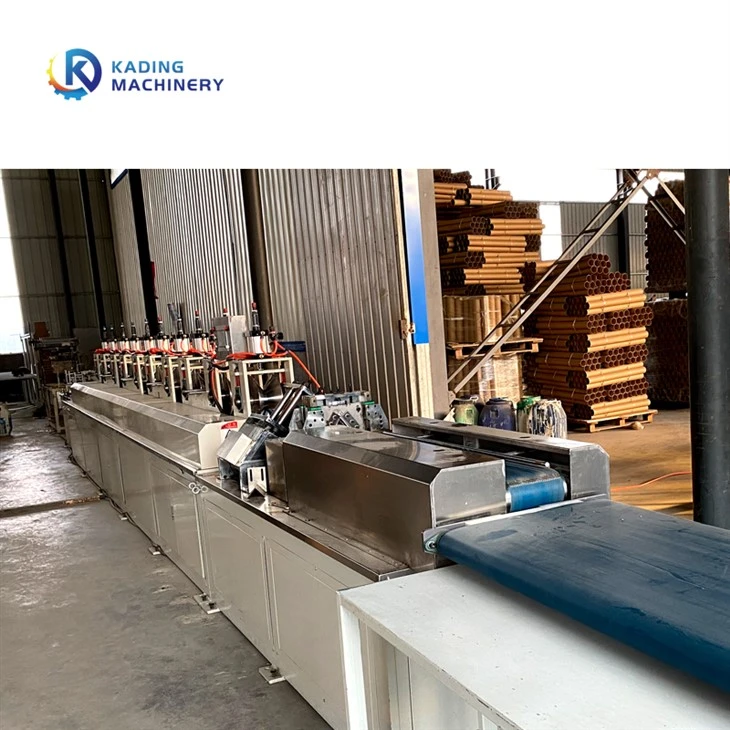
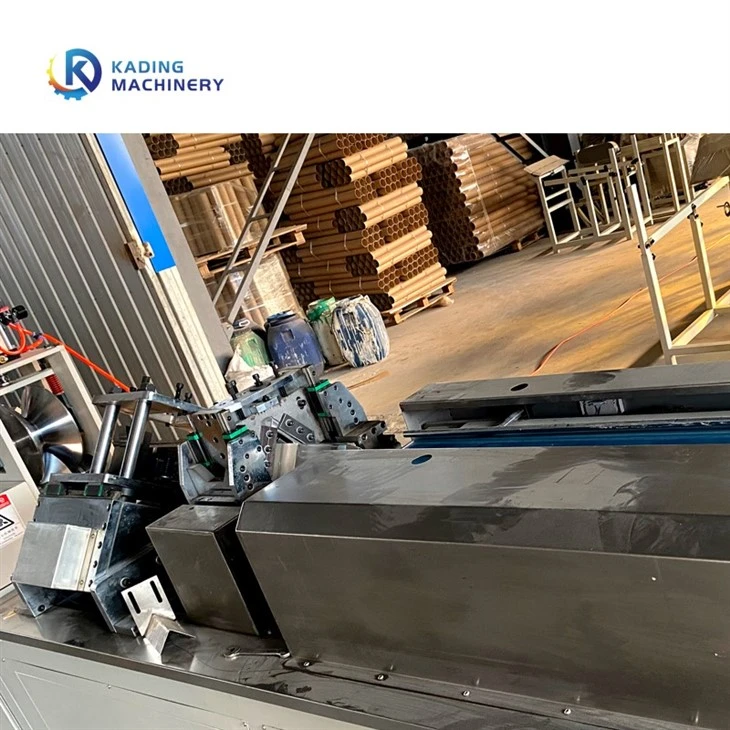
If you're in the market for a new paper edge protector machine, we've got a great selection of machines to choose from. Check out our Paper Angle Board Machine, Paper Angle Protector Paper Corner Protector Paper Edge Protector Machine, and High Speed Muti Functional Paper Edge Board Protector Machine.
If you have any questions or would like to discuss your specific needs, feel free to reach out to us. We're here to help you find the perfect machine for your business.
References
- Manufacturer's manuals for paper edge protector machines
- Industry best practices for troubleshooting industrial equipment


